Residents in your service area use the DLM Neighborhood app to ask for trusted local pros. Here is exactly how your business shows up there, and how you respond, all from your DealMate Business Portal.
Open your Business Portal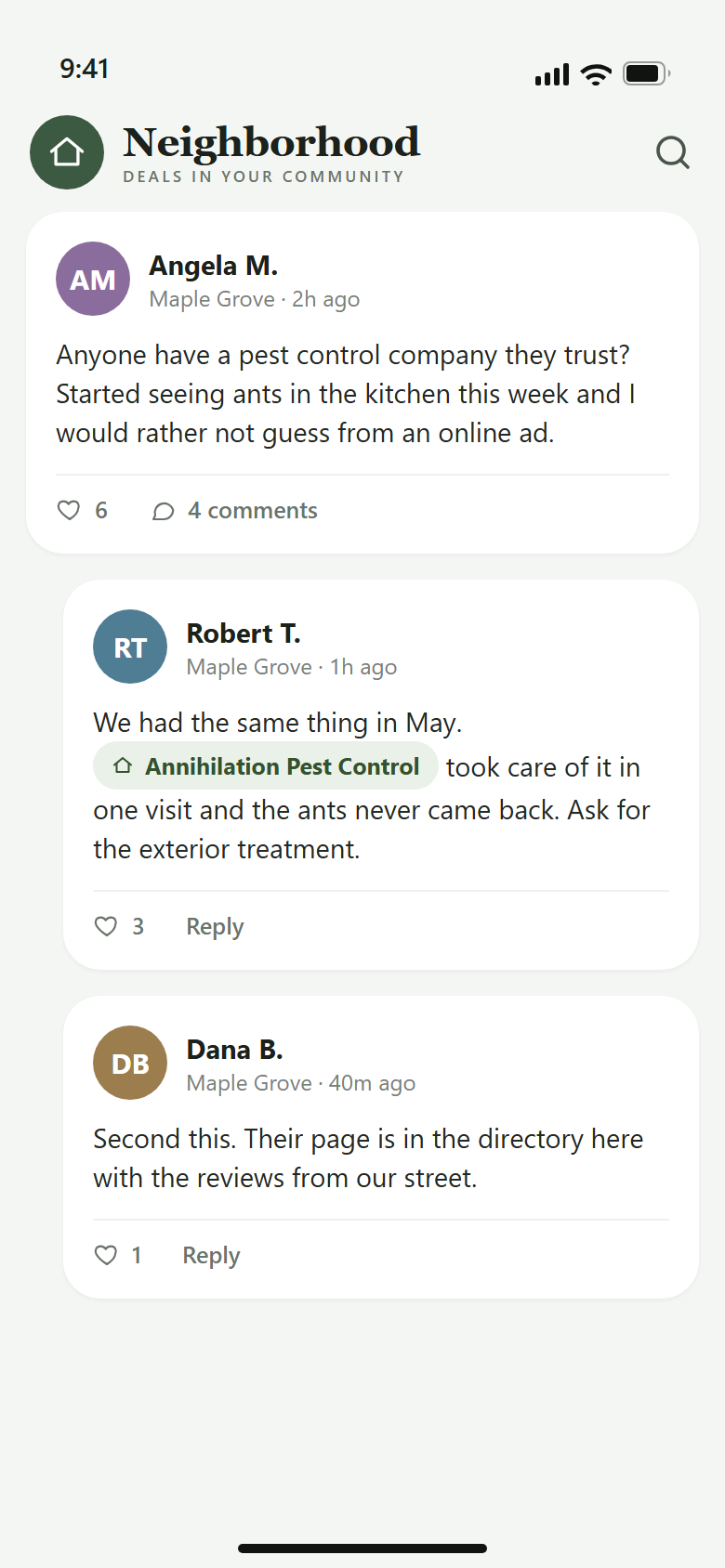
When a resident posts something like "anyone have a pest control company they trust?", neighbors answer by tagging businesses they have used. A tag links straight to your business page, so one good job can turn into the whole street knowing your name.
You do not have to do anything for this to happen. Every DLM member business automatically has a page in the app, and residents can tag it in posts and comments.
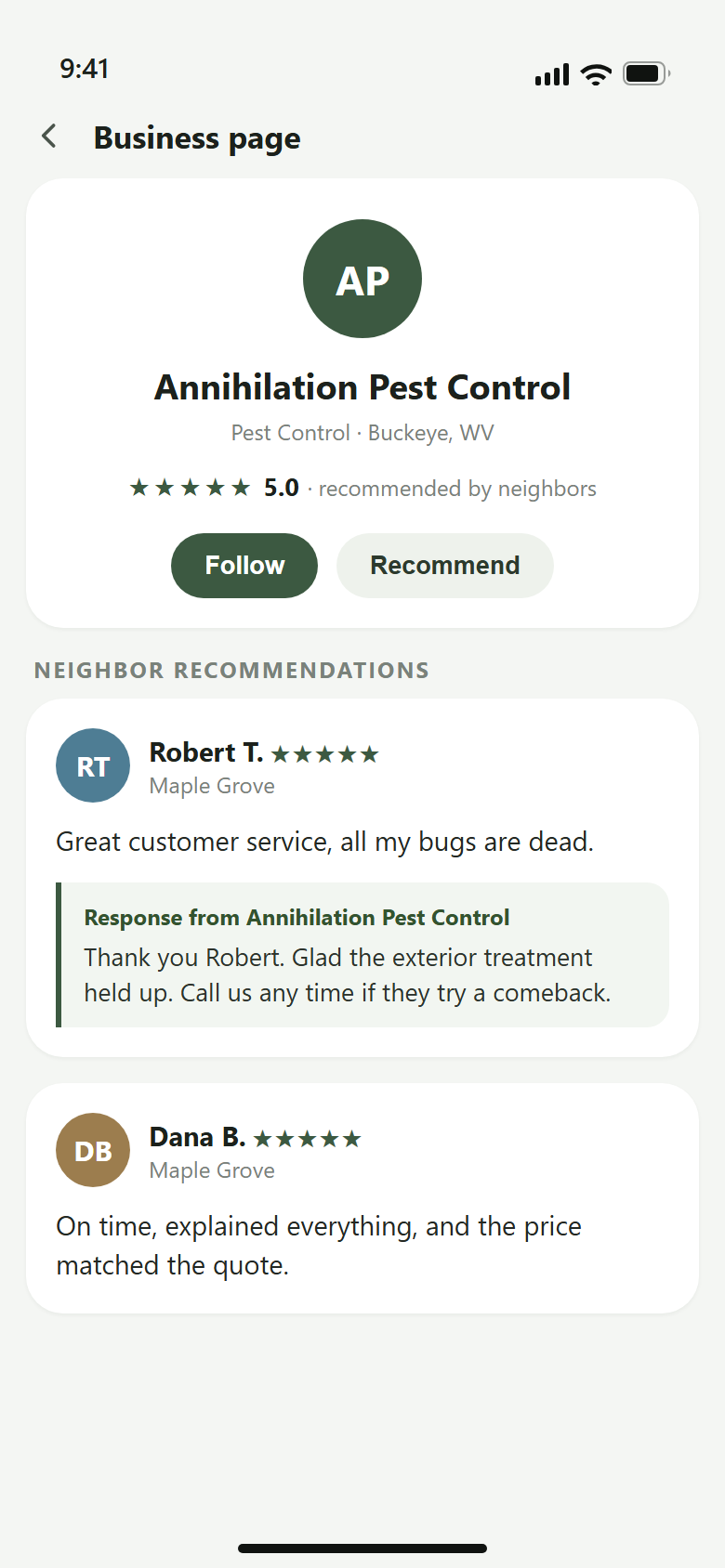
Your page shows your rating, every neighbor recommendation, and your responses. Residents can follow your page to see your updates, and they can leave a star rating with a written recommendation after you do work for them.
Your page also appears in the app directory for the areas you serve, so residents browsing for your category find you even when nobody tagged you.
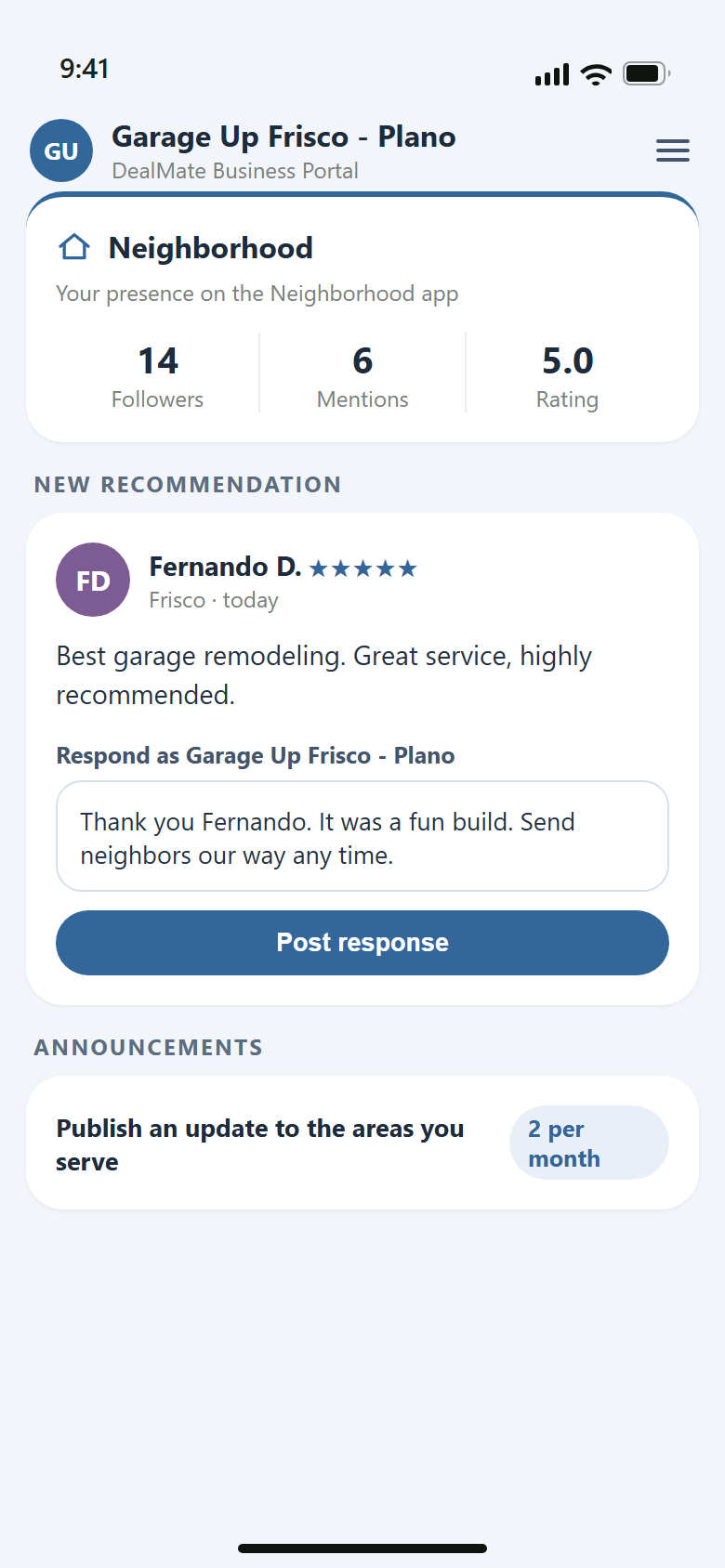
You do not sign into the Neighborhood app itself. The app sign-in is for residents. Instead, sign into your DealMate Business Portal with your business phone number and open the Neighborhood card.
From there you see your followers, mentions, and rating, plus every recommendation residents have left. You can post one response per recommendation, and you can edit it any time. A prompt public thank-you is the cheapest marketing you will ever do.
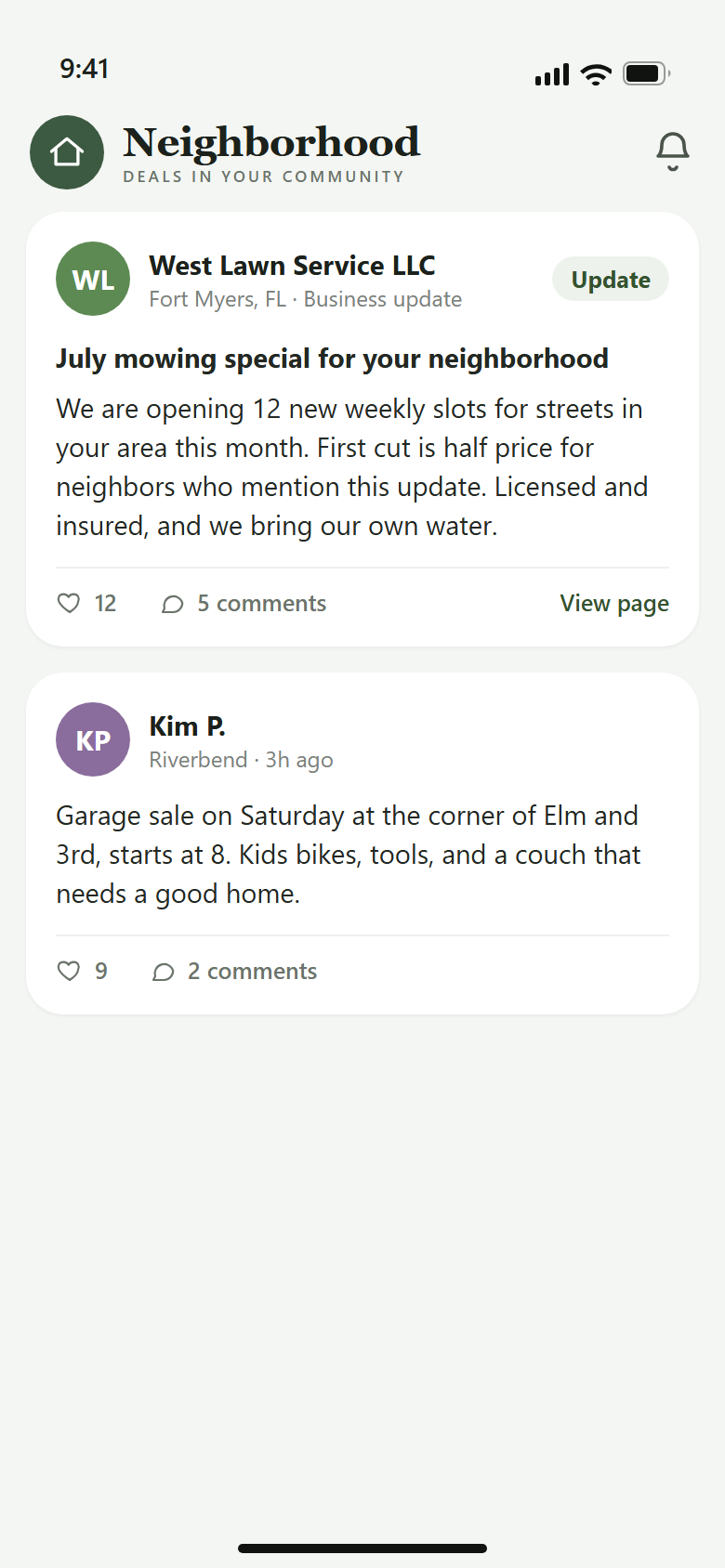
Paid member businesses can publish up to two announcements per month. Each one is reviewed by our team, then shown to residents in the ZIP codes you serve, right in their neighborhood feed. Followers of your page are notified when it goes live.
Good announcements read like a neighbor talking: a seasonal special, new openings in the schedule, or a service you just added.
Sign in with your business phone number and open the Neighborhood card.
Open your Business Portal